


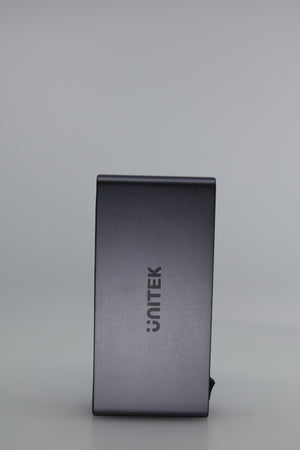
Unitek KVM Switch 2 Monitors 2 Computers 4K@60Hz HDMI+DisplayPort - Seamless Dual Monitor Control
Ask a question
Estimate delivery times: 3-7 days.
Return within 30 days of purchase.
Guaranteed Safe Checkout
Unitek KVM Switch 2 Monitors 2 Computers 4K@60Hz HDMI+DisplayPort - Seamless Dual Monitor Control
Condition: Open Box
Grade A unit, all pieces included, tested and fully functional.
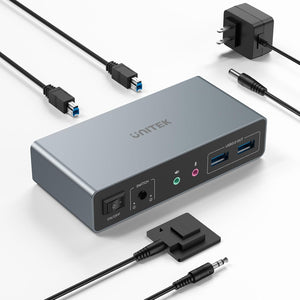
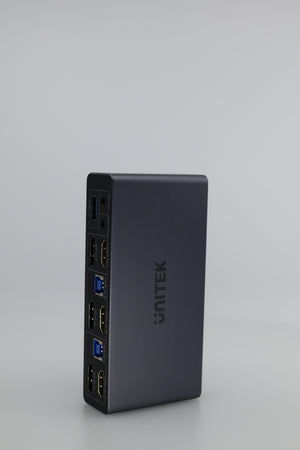
Control two computers and two monitors with ease using the Unitek KVM Switch. Seamlessly switch between devices while enjoying stunning 4K visuals at 60Hz. HDMI and DisplayPort connectivity enhances flexibility and compatibility. Boost productivity and simplify your workspace with shared peripherals and audio support.
The Unitek KVM Switch 2 Monitors 2 Computers is designed for anyone seeking a reliable, high-performance KVM solution. Connect two computers and control them both with just one keyboard and mouse. Use both HDMI and DisplayPort monitors for expanded possibilities. Switching is simple and direct. Reduce desk clutter and maximize organization while keeping only the essentials on your desktop.
This dual monitor switch stands out for its support of ultra-high resolutions. Get up to 4K at 60Hz, perfect for graphic design, content creation, and smooth video playback. It supports HDMI 2.0 and the latest HDCP versions. This ensures compatibility with most modern monitors. KVM applications range from business to home offices to creative studios.
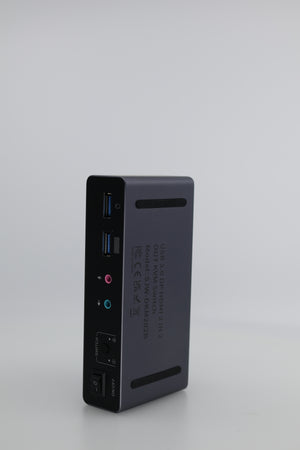
Unitek equips this KVM unit with three USB 3.0 ports, letting you share printers, external drives, and other devices. All your connected USB accessories stay available as you switch between computers. Enjoy maximum data speeds of 5Gbps for fast transfers. Dual 3.5mm audio jacks mean microphone and headset devices can be connected for both systems. Audio shares easily, no need to swap jacks or troubleshoot cables.
Switching control is offered in two simple ways. Use the provided desktop controller for quick toggling between computers. Or use the front button on the device itself for direct access. The wired remote keeps your setup clean. Place the unit out of sight, and your working area remains free from unnecessary devices.
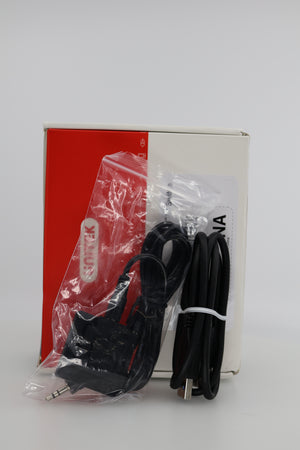
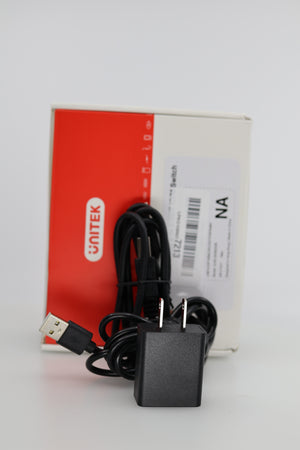
Easy installation is a hallmark of this product. Enjoy plug-and-play convenience. No driver downloads are needed, and everything works out of the box. The power adapter is included for steady performance, especially when you use multiple USB devices. All cables required come in the box, helping you avoid extra purchases. Setting up only takes minutes, whether for a new desk or to upgrade your existing configuration.
Benefit from broad compatibility. The KVM switch works well with Windows, Mac OS, and Linux computers. It supports Windows 7, 8, 10, and 11, as well as Mac OS and Linux distributions. Multiple computers, including desktops and laptops, can be used as sources if they feature correct output ports. This makes the Unitek KVM a top choice for mixed operating system spaces.
Designed for flexibility, this dual monitor switch is suitable for programmers, designers, engineers, and everyday users. Use it to create an efficient multi-screen environment. Connect your main PC and a workstation or a gaming system and a work computer, all while sharing your preferred monitors and favorite USB accessories. Its robust construction and advanced features make it dependable for daily professional use. Families can share resources between members, and businesses can equip staff quickly.
Frequently Asked Questions (FAQ)
-
Question: Can I use the Unitek KVM Switch 2 Monitors 2 Computers with both Windows and Mac OS systems at once?
Answer: Yes, this KVM switch provides broad compatibility with Windows, Mac OS, and Linux systems. You can connect one Windows PC and one Mac, for instance, and switch between them effortlessly. Each computer must have the correct video output ports (HDMI or DisplayPort) available. Many users choose this option to manage a work and personal machine together, making transitions easy between different platforms with only one keyboard and mouse. Switching never interrupts workflow, no reboots or unplugging required. -
Question: Can I connect my laptop with USB-C outputs to this KVM Switch?
Answer: The device is designed for standard HDMI and DisplayPort outputs. If your laptop only provides USB-C, you will need an adapter that supports video pass-through to DisplayPort or HDMI. Ensure your adapter supports video out and multiple displays if using dual monitors. Many USB-C hubs or docking stations will work. This enhances the KVM’s flexibility for ultrabooks or newer MacBooks so long as the correct adapters are used. -
Question: Does switching computers reset connected USB devices or monitors each time?
Answer: The Unitek KVM switch keeps shared USB devices and monitors connected while you toggle computers. USB peripherals like keyboard, mouse, and printers remain usable without delay. This is crucial for uninterrupted work, especially with external drives or printers. Monitor connections also persist, so your screen layout stays intact. Minimal disruption happens, maintaining smooth transitions between computers with all devices instantly ready. -
Question: Is there software required to install or operate the Unitek KVM Switch for dual monitor use?
Answer: No installation software, drivers, or extra tools are required. This KVM switch is fully plug-and-play. All hardware, including cables and power supply, is included in the box. Follow the included guide for connection and setup. Even for first-time users, setup is simple: plug in, connect, and start using right away. This is ideal for users wanting a fast, hassle-free start.
The Unitek KVM Switch transforms productivity and workspace management. Experience the convenience of sharing peripherals, monitors, and audio in a streamlined setup. Its robust monitor support, plug-and-play design, and advanced features make it an ideal upgrade for dual-monitor and multi-device environments.
For a deeper understanding of what a KVM switch can offer, visit this KVM overview on Wikipedia.
Browse all electronics solutions here
Keywords: KVM, switch, dual, monitor
Our happy customers
Real reviews from real customers


