


Quad Monitor KVM Switch 4 Monitors 2 Computers 1080P@60Hz – Seamless Multi-Display Control
Ask a question
Estimate delivery times: 3-7 days.
Return within 30 days of purchase.
Guaranteed Safe Checkout
Quad Monitor KVM Switch 4 Monitors 2 Computers 1080P@60Hz – Seamless Multi-Display Control
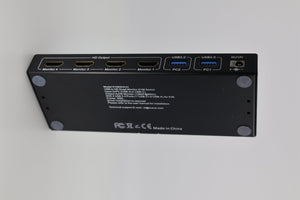
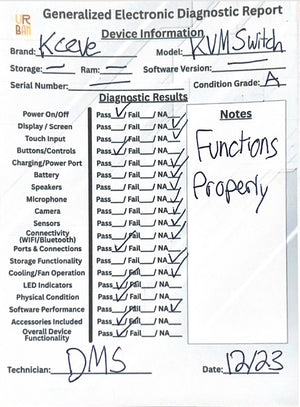
Condition: Open Box, Functions Properly, Grade A, All Pieces Included
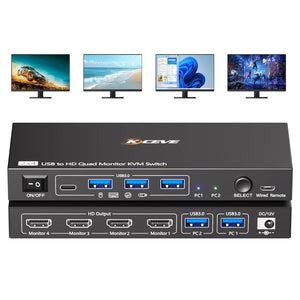
Effortlessly manage two computers across four monitors using the Quad Monitor KVM Switch. Enjoy smooth transitions and sharp, clear images at 1080P@60Hz. USB 3.0 ports let you share devices between systems, boosting team productivity and cutting down on clutter in your workspace. This KVM Switch makes multi-display management simple and fast. Learn more about KVM switches here.
The Quad Monitor KVM Switch is user-friendly and fast to install. Plug both computers into the switch. Once connected, the system quickly detects the USB device and prompts you to install a driver. This small driver helps the KVM recognize and configure your monitors. No user data is collected. Without this step, your monitors will not display correctly. Most user setups complete in minutes with no tools required.
This switch is compatible with both Windows and Mac OS. Professionals in programming, financial trading, security, and design can easily switch between computers with the push of a button or remote. LED indicators show which system is active. If you move between tasks or teams, this feature lets you see your workflow in real time. Reliable connections keep monitors stable and responsive with every switch.
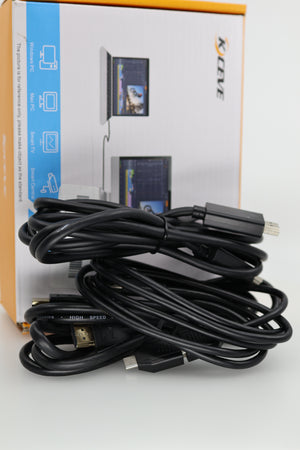
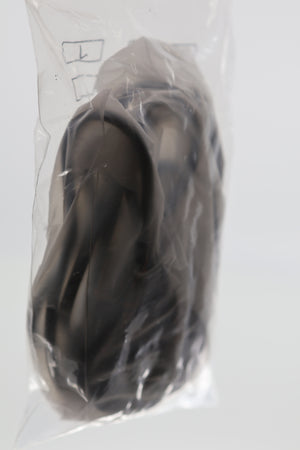
To get the best experience, use computers built on 11th generation platforms or newer. Two USB 3.0 cables are included for connection. However, HDMI cables are not provided, so you will need to supply your own. Note that features like EDID emulation and hotkey switching are not supported. If you rely on those features, you should review your system needs before buying this switch. View all electronics in our collection.
This KVM Switch is perfect for busy offices and IT environments. It keeps your desk neat by using just one set of monitors, keyboard, and mouse with two computers. Sharing other peripherals like printers or external drives is easy thanks to extra ports. Multi-display control is essential for multitasking and project management. Use it for coding, graphic design, video editing, surveillance, or any field with high demands.
The hardware is built for efficiency. Quick switching reduces time lost on setup or cable management. This device is a practical upgrade for anyone who runs more than one computer at a time. With physical controls and clear status lights, you get a worry-free experience.
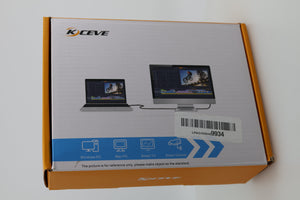
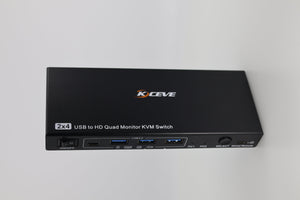
Secure, stable, and dependable, the Quad Monitor KVM Switch has a sturdy design for daily use. The open box Grade A unit offers great value. It includes all the original parts needed for setup. With proper care, it ensures long-term service for your workstations or home office.
Frequently Asked Questions (FAQ)
-
Question: Is driver installation necessary for this KVM switch?
Answer: Yes, installing the driver is required for full multi-display support. After you connect the computers, an automatic prompt will guide you through the steps. The driver enables the KVM switch to detect and manage four monitors per system effectively. This software does not access or store your data. The installation is brief and vital for getting optimal images on each monitor. -
Question: What operating systems are compatible with this KVM switch?
Answer: The Quad Monitor KVM Switch works with both Windows and Mac OS. For best results, use computers made with 11th generation or later hardware. This supports stable, high-definition connections for all your displays. If you need support for other systems, please contact our team for more details. -
Question: Are HDMI cables included in the package?
Answer: No, HDMI cables are not part of the box contents. You receive two USB 3.0 cables needed for connecting the switch to your computers. You should use your own HDMI cables for monitor setup. This allows you to use cables of the right length and type for your environment. -
Question: What devices can I share using this KVM switch?
Answer: You can share keyboards, mice, USB drives, printers, and other USB 3.0 devices. This makes your workflow smoother and desk more organized. Ten seconds is all it takes to switch between computers with all your attached devices. -
Question: Does the Quad Monitor KVM Switch support hotkey switching or EDID emulation?
Answer: This model does not offer hotkey switching or EDID emulation features. All transitions are done with the physical button or wired remote. For most office setups, this is efficient and easy. If you need advanced or automated switching, consider a different solution.
Invest in a Quad Monitor KVM Switch for a more organized and productive workspace. It is a top choice for multitasking and clear, efficient display control. Thanks for trusting our technology for your business and personal use. For more help, please contact our customer support team. We are ready to assist with all KVM switch or setup questions you may have.
Keywords: Quad, Monitor, KVM, Switch
Our happy customers
Real reviews from real customers


